
New PC setup
I match the right pre-built to your needs, bench-tune it, deliver it, and integrate it into your desk — monitors, cables, and peripherals included.
See what's included on the bench$0.00 USD

Pre-built PCs, refurbished and tuned by Mikey — set up in your home with real local support.
A pre-built PC is a complete system with name-brand CPUs, GPUs, and motherboards inside — fully assembled, with real manufacturer warranties.
Quality pre-builts are priced aggressively — often at or near component cost. But out of the box, most still ship with cost-cutting shortcuts: cheap paste, lazy fan setup, memory running below spec, and a Windows install full of junk.
I built custom PCs for 15+ years. In 2026 I could not beat pre-built pricing even sourcing parts myself. So I source at retail cost and apply the same bench process I used on custom builds — you get serious hardware value without the factory compromises.
I did not change my standards. I changed where the parts come from.
I match the right pre-built to your needs, bench-tune it, deliver it, and integrate it into your desk — monitors, cables, and peripherals included.
See what's included on the benchTune-ups, repairs, or upgrading to a new system. Moving from an old PC? Ask about data migration to your new machine.
See existing PC servicesSimple from first call to follow-up.
We talk about what you need — new setup or fixing what you have.
I source the right pre-built at retail cost, then every system gets full bench work: verify the parts match what's advertised, fix factory shortcuts on paste and airflow, tune BIOS and fan curves, stress-test CPU, memory, and GPU, and install a clean, activated Windows 11 Pro.
I set up the PC at your desk — power, display, keyboard, mouse, and other peripherals — run updates, and walk you through your new system. Follow-up within 48 hours.
Typical turnaround
New setups: 5 business days. Tune-ups: often next business day.
Every system gets full bench work — paste, BIOS, airflow, stress testing, and clean Windows 11 Pro before it reaches your desk.
See the full bench checklistEvery new setup starts with a $350 White Glove fee. Most customers choose Level 2 for year-one protection — PC cost, delivery, and add-ons are separate.
Level 1
Setup only
$350
+ PC cost + delivery mileage
Book a free consult first, or pay a deposit to reserve your spot. PC cost and delivery are quoted separately.
Secure payment via Chase. Opens in a new window.
Most popular
Level 2
$350 + $199/yr
Service fee + yearly subscription
One year costs $199. A single emergency remote runs $25 + $25/hr — three calls alone can exceed the subscription before the health check or protection.
Book a free consult first, or pay a deposit to reserve your spot. PC cost and delivery are quoted separately.
Secure payment via Chase. Opens in a new window.
Level 3
$350 + $449/yr
Service fee + yearly VIP subscription
The included in-home hour alone is $75+ at standard rates — before extra emergencies and priority access.
Book a free consult first, or pay a deposit to reserve your spot. PC cost and delivery are quoted separately.
Secure payment via Chase. Opens in a new window.
Level 1 gets your PC perfect on day one. Level 2 and Level 3 get you through the first year — when updates, crashes, and "is this normal?" questions actually show up.
Sound familiar?
Compare what you get when something goes wrong.
| Need | Level 1 | Level 2 | Level 3 |
|---|---|---|---|
| Non-urgent remote help | ~2 business days | Priority queue | 24/7 priority text |
| Emergency remote | $25 + $25/hr | 3 included/yr | Up to 6/yr (fair use) |
| Annual health check | — | 30 min included | 30 min included |
| Labor protection (covered issues) | — | Included | Included |
| Scheduled in-home visit | $75/hr + travel | $75/hr + travel | 1 hr included/yr |
| Emergency in-person | $50 call-out + $50/hr | ||
PC cost is passed through at retail — no markup on the hardware. Delivery is $2.12/mi from Dingmans Ferry, PA.
Protection-only (no emergencies or health checks): $99/yr — Level 2 includes protection plus $199/yr of support perks.
Upgrading from an old PC? Data migration to your new system is available for a flat $100 fee.
Subscriptions renew yearly until cancelled.
Already a customer? Schedule an in-home visit. New to SIKPCs? Start with a free consultation.
Free diagnostic with your consultation.
Deep clean, thermal service, and tune-ups.
Ready for a new machine? I handle the White Glove setup and can migrate your files from your old PC for a flat $100 fee.
Data migration: $100 flat fee when paired with a new White Glove setup. Other work billed at published rates — see FAQ.
Customer reviews
Real feedback from local customers on Google and Facebook.
5 / 5
Based on 10 Facebook recommendations
Verified local customer
I’ve been a console gamer for years and decided to take the plunge into the pc gaming world. I needed a small frame pc due to having limited space. Also asked to have a pc that could handle years of use and not wanting to upgrade it all the time. Fast forward about a month and I haven’t been happier with my purchase. 💯 will recommend
Verified local customer
had some new parts I needed installed into my PC and came to Mike for it. I couldnt be happier with how it came out was done in less than a day and my pc looks better than when I first got it. top tier work and customer service. Highly recommend to anyone looking to buy a rebuilt, have your pc worked on etc. the best part is you can't watch it all happen on stream. Thanks again Mike so happy with how it came out
Verified local customer
Got a beast of a build from Mikey and about 7 months later it still runs like it’s brand new. Ryzen 7 9800 3xd 5070 TI 2TB and I’m running 500-600 fbs consistently. Before this pc I ran on a pre built from Walmart and I kept having so many issues. So many parts I had to replace and Mikey was like “girl it’s ready to upgrade!” And I’m so glad we did.. I stream and game and it’s WORTH THE INVESTMENT!!! Don’t cheapen out!! You get what you pay for. And also Mikey is the biggest sweetheart he will answer you any time to help you if u have a problem.
Verified local customer
Mike truly is at the top of his field when it comes to putting together a mechanical work of art. I’ve had faith in his vision for quite literally decades, and seeing it come to fruition in real time has been nothing short of incredible. The pricing is fair, the process is quick, and the final product is a dream come true. Proud of you man, thanks for everything and keep it going.
Verified local customer
my gf ordered a PC from here and she is thrilled. he was transparent and communicative throughout the entire process. all her gaming needs were met and probably most importantly their consulting is top notch. couldnt recommend them enough.
Verified local customer
I was in the market for a new pc an my buddy told me to check out some of his work an wanted something newer an something I wasn’t gonna have to worry about upgrading for a long time. I went on sikpcs website it was very easy I like how its broke down into levels as soon as my order got placed Mikey text me an was letting me know all the info an whatnot. I got my pc an he blow me out the water it was the way I wanted everything to be an everything! I would definitely recommend him over anyone else.
Verified local customer
Mike is the absolute best when it comes to computers and technology! There is no one close to what these guys put out over at SIK. Recently got a mousepad and the quality is insane! HIGHLY recommend you do business with these guys!
Verified local customer
Ordered a mousepad from SikPCs and I haven’t been running off of my pad at all. This thing is massive! It’s so smooth and the design looks so cute with my set up. Another W from SikPCs!
Verified local customer
Great customer service. Even checked in after to make sure everything was good. Would recommend to anyone wanting to get a new PC or upgrade.
Verified local customer
I’ve been driving myself insane over an issue with my pc and my streaming needs and without question, SIKpcs rushed to my help and sat with me for hours going over what could possibly be wrong with my pc, and was very honest about there actually being nothing wrong with my pc at all! He could’ve easily told me all these parts need to get replaced or upgraded but he didnt, its a network issue that he still tried to fix anyways! I appreciate you so much for all the work you did today! Very honest, very reliable!!
Reviews must be submitted on each platform separately — Google and Facebook do not allow one form to post to both.
Follow us on facebook.com/sikpcs
No. I source it for you at retail cost — no markup on the hardware. Quality pre-builts use name-brand parts with real warranties at prices I cannot beat building from scratch. We pick the right system together, then you pay PC cost, service fee, and delivery after we agree.
At minimum: $350 service fee + PC cost + delivery mileage ($2.12/mi from Dingmans Ferry, PA). Example: a $1,200 PC with ~20 mi delivery is about $1,575 before tax. Data migration from your old PC adds $100. Level 2 adds $199/year. Level 3 adds $449/year.
Level 2 ($199/yr): 3 emergency remote calls, an annual health check, priority scheduling, protection coverage, a PC profile on file, and a 30-day check-in after delivery. Level 3 ($449/yr): all Level 2 benefits plus a 1-hour in-home visit, up to 6 emergency remotes per year, 24/7 priority text, and an annual upgrade planning call. Details and fair-use limits are in our service agreement.
Yes — tune-ups, cleanups, diagnostics, and many repairs for desktops and laptops.
A deposit may be required before I pick up or start bench work. The rest is due at delivery. Subscriptions bill yearly and renew until you cancel. Work beyond your plan limits is billed at published rates ($75/hr scheduled, emergency remote $25 + $25/hr, emergency in-person $50 call-out + $50/hr).
Yes. When you upgrade from an existing PC to a new White Glove setup, data migration is a flat $100 add-on. I transfer your documents, photos, browser bookmarks, and other agreed files to the new system during setup.
Yes — and I still would, if you are buying one off the shelf and using it as-is. Mass-market pre-builts cut corners on paste, airflow, BIOS setup, and software. My job is to fix those corners: I source at retail cost, then every system gets the same bench process I used on custom builds for 15 years. You get pre-built pricing with custom-build quality control.
If you cannot afford downtime — gaming, WFH, school, or family use — Level 2 is the smart default. Level 1 is setup only: emergencies are $25 + $25/hr and there is no health check or protection. One panic call can cost $50–75; three calls in a year often exceed the $199 subscription before counting the health check or covered labor. Most new White Glove setups choose Level 2. Level 3 adds an annual in-home visit and faster access if you want hands-on support without booking every time.
Tri-State area within ~100 miles of Dingmans Ferry, PA — Port Jervis, Milford, Sussex and Orange counties, and surrounding towns.
Outside the area? Remote support may still be an option — just ask.
Ready to get started?
Free consultation — new PC or existing machine.
Questions? Reach out directly: mikey@sikpcs.com · 862-254-0021 (text)
Quality. Performance. Reliability. No gimmicks. The Best in the Game — now in your living room.
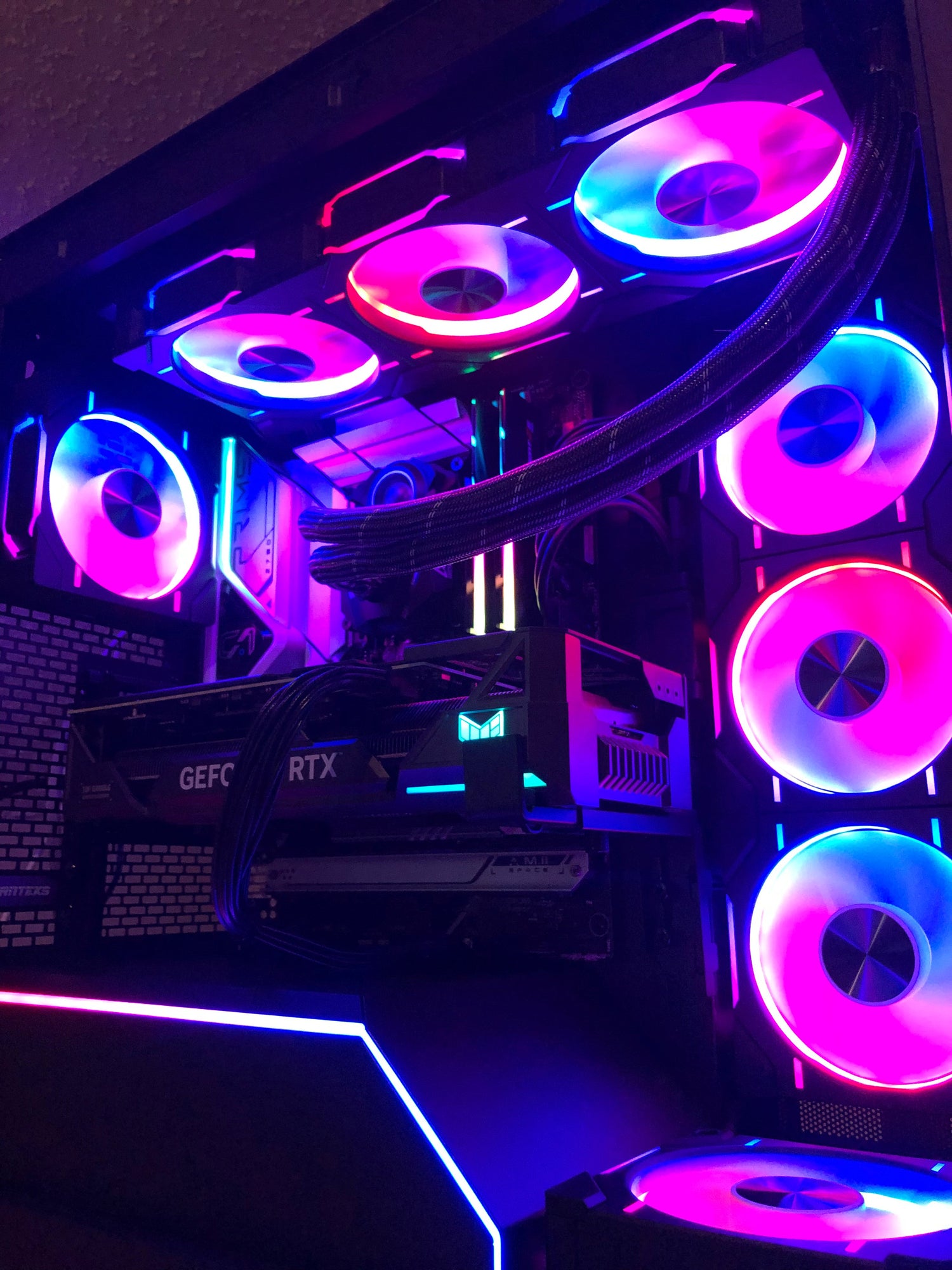
The Best in the Game — now local
No shipping. No parts shortages. I come to you — free consultation, honest recommendations, and white-glove setup backed by real support plans.
Community, driver updates, and support for existing clients. New to SIKPCs? Book a free consultation first.